01What does it actually do?+
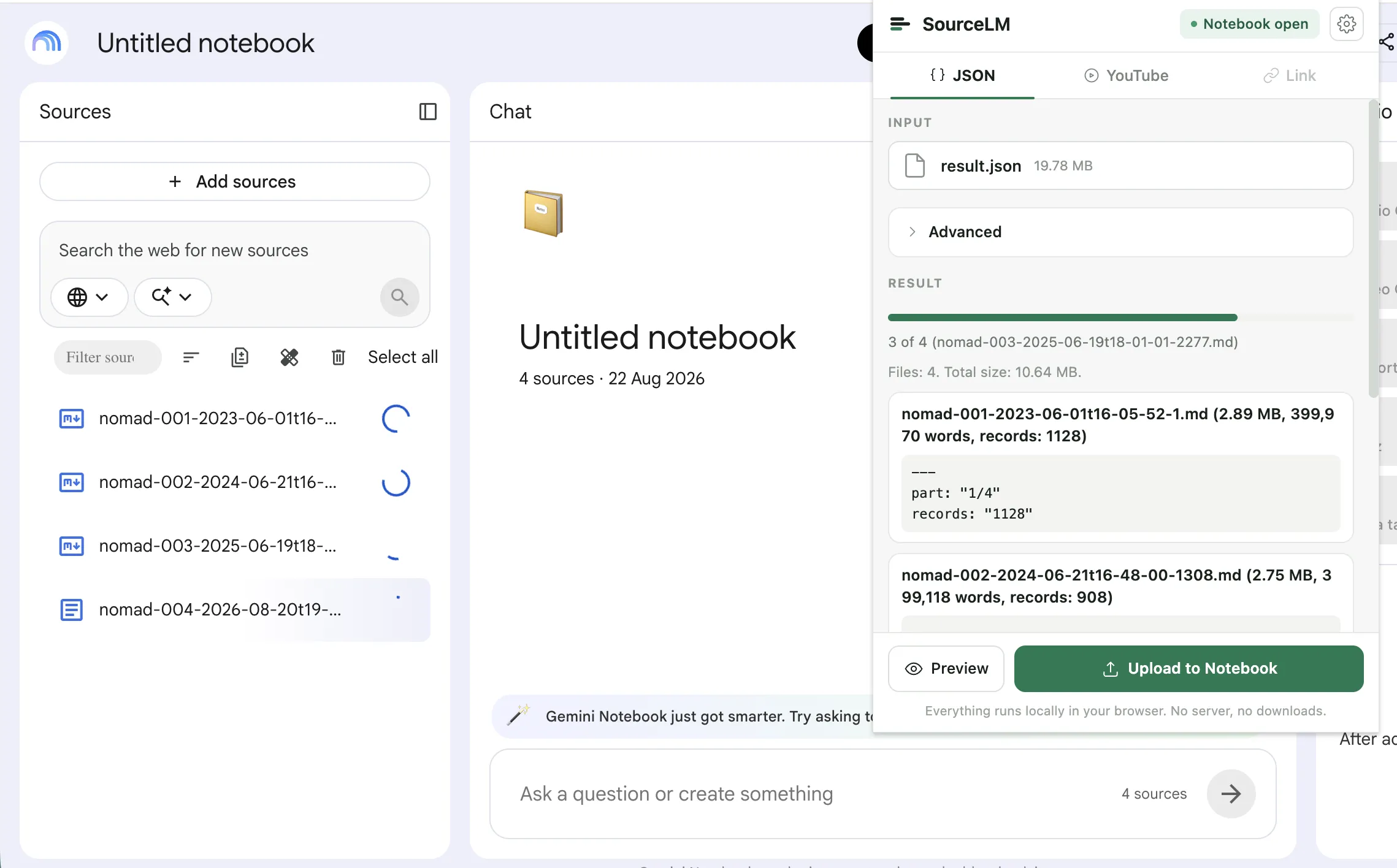
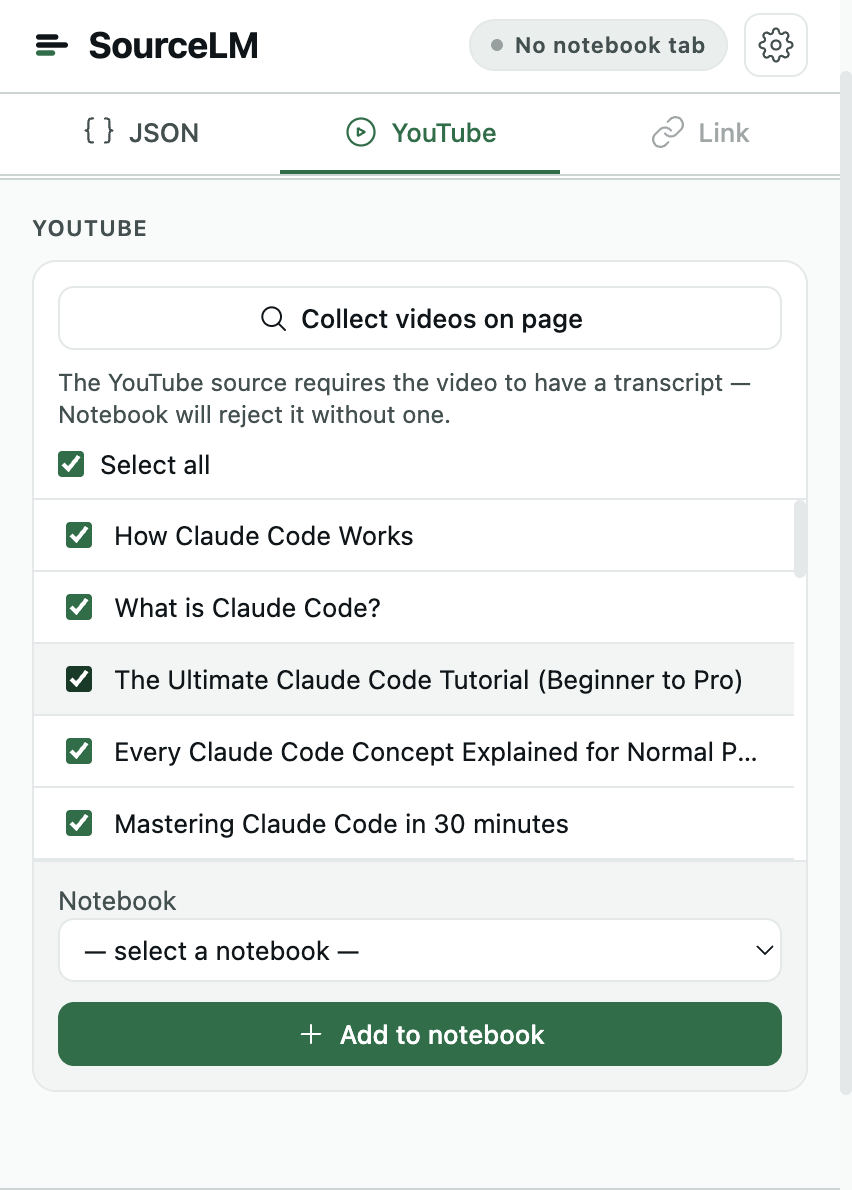
Three inputs: a JSON export — a Telegram chat, for instance — gets split into a batch of Markdown files and uploaded into the open notebook; videos on a YouTube page get added as sources, individually or in bulk; the active tab, a pasted link, or a list of links gets added as web sources, and selected text on any page goes in from the right-click menu. Inside the notebook it adds a filter box, a “select duplicates” button, batch delete, and a “Broken sources” list to the Sources panel. How to use NotebookLM, sources first.
02Does it take a Telegram chat export?+
Yes, in either format. Telegram Desktop exports JSON or HTML; the Telegram for macOS app, since version 12.10, has Export Chat History too, and writes HTML — select all of its messages.html pages at once and the extension orders them itself. The chat name becomes the filename prefix and each message’s date the cursor, so exporting again later uploads only the messages that are new. Text only — photos, voice and stickers stay out. Read the walkthrough.
03What doesn't it do?+
No “all open tabs” capture, no Google Drive sync, no schedules or automation, no export out of a notebook. A broken source is not repaired automatically either — the extension lists them, and you open the page and click “Add page as .md” to replace it. Re-running a YouTube import skips videos already in the notebook; it never removes anything. See the YouTube page.
04Why one time and not a subscription?+
There is no backend and no recurring cost behind the extension, so there is nothing to bill monthly for — you pay once and keep the licence. It does ride an unpublished Google interface that can change without notice, which is one more reason not to charge you every month for it.
05What happens when the free bulk limit runs out?+
5 bulk actions a month is the ceiling on batch uploads and multi-video adds, wherever you trigger them — the popup or the in-page YouTube dialog. Single sources — one page, one link, one video — and deleting sources keep working regardless, and the count resets on the 1st.
06How many sources does a notebook take?+
As many as the NotebookLM plan allows: 50 on the free plan, 100 on Plus, 300 on Pro, 500 or 600 on Ultra (checked 2026-09-19). Each video, page, or Markdown file the extension adds is one source. NotebookLM limits per plan.
07Does Google see anything? Where do requests go?+
Requests go to the notebook's own origin, the Google upload host it hands back to, and the payment provider's public endpoint for licence checks — nowhere else. There is no author-controlled server. Settings, the licence key, and the trial counter live in chrome.storage.sync, which Chrome syncs to your own Google account. Is NotebookLM private?.
08Is this affiliated with Google?+
No. NotebookLM and Gemini are Google trademarks; this extension is an independent, unofficial tool that automates clicks in a signed-in Google session.